A smart thermostat is the one gadget on this site that can cut both the heating bill and the cooling bill without you changing a single habit. It turns the heat down when everyone leaves, back up before you get home, and lower again at bedtime, every day, all winter. But the box claims (“save up to 26%”, “up to 31%”) are measured against a house held at 72°F around the clock. Your real saving depends on what you do now, and the first thing to check is not the brand: it is the wires behind your old thermostat.
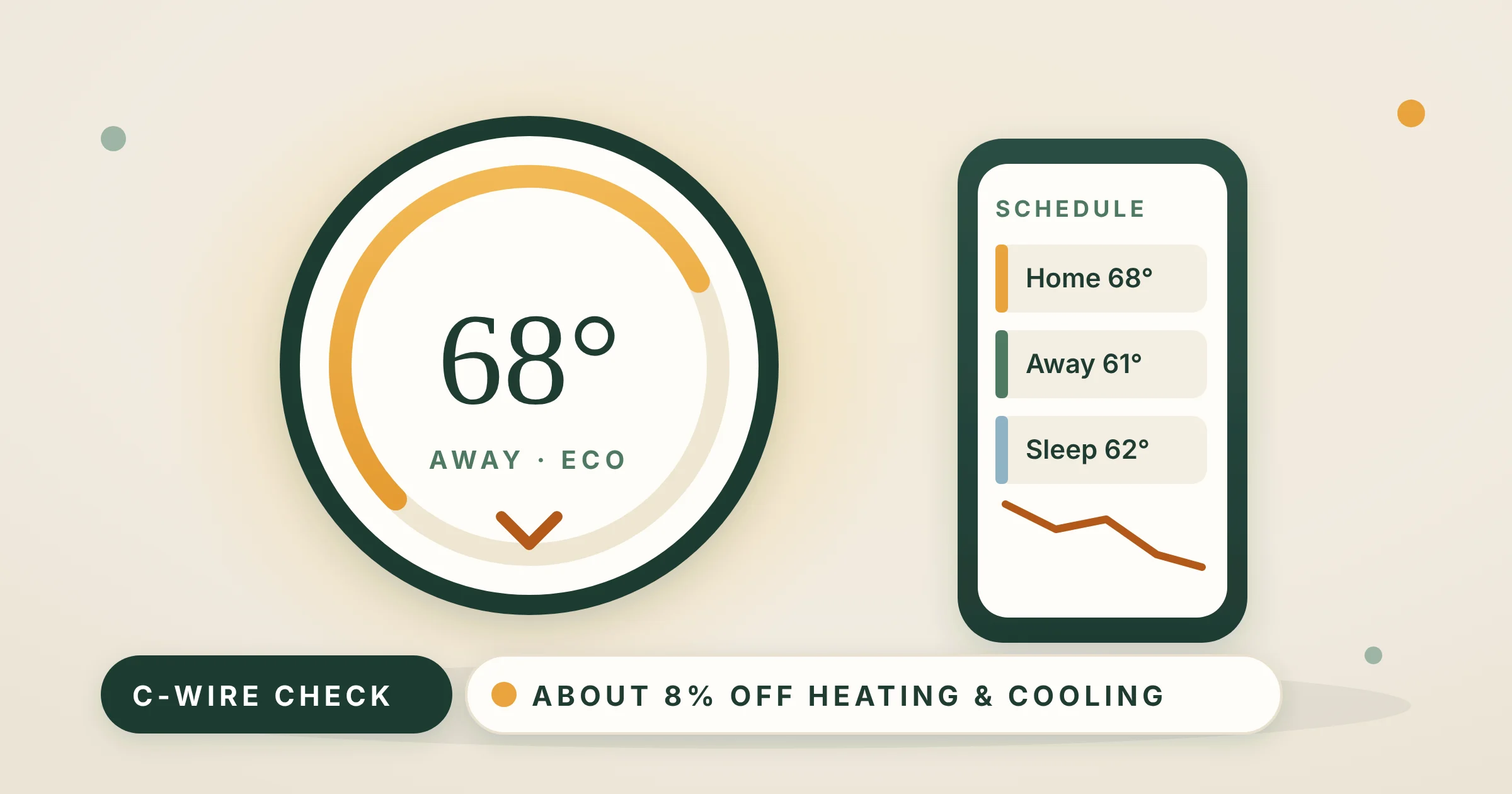
The average ENERGY STAR certified smart thermostat saves more than 8% of heating and cooling energy, about $50 a year, according to the EPA. You save the most if you now leave the heat at one temperature all day, and very little if you already turn it down every night by hand. Check your wiring first: most models need a C wire (or an adapter), and electric baseboard heat needs a special line-voltage model. Our picks: the ecobee Smart Thermostat Enhanced for most homes (it includes a no-C-wire adapter), the Amazon Smart Thermostat on a budget, and the Mysa LITE for electric baseboard heaters.
Affiliate note: As an Amazon Associate, The Low Bill Home earns from qualifying purchases. Buying through our links costs you nothing extra. We have not installed every thermostat here in our own home: picks are based on the makers’ published specs and compatibility rules, official energy-saving guidance and long-term buyer feedback, and we say where a product falls short.
Power Extender Kit for homes without a C wire is in the box; occupancy sensing; works with Alexa, Google and HomeKit.
Check price on AmazonWhy we picked it ↓Honeywell Home technology, schedules and Alexa control. Needs a C wire; a bundle with an adapter is sold too.
Check price on AmazonWhy we picked it ↓For 120 V or 240 V baseboard and wall heaters, one per room. Needs 4 wires. No subscription.
Check price on AmazonWhy we picked it ↓Shopping on Black Friday? Thermostats are a classic Black Friday deal. Add yours to your Amazon cart now so it is ready when the deals start (Black Friday is November 27, Cyber Monday November 30, 2026), and check your utility for a rebate before you buy.
How much does a smart thermostat really save?
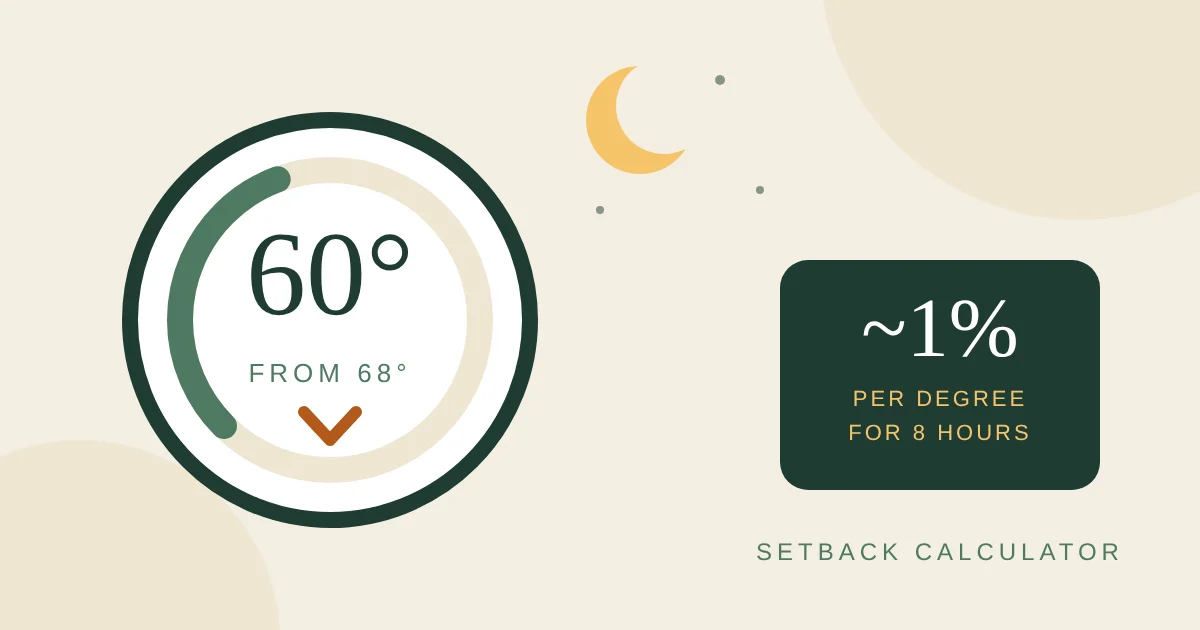
A thermostat does not make heat any cheaper. It saves money one way only: by keeping the house cooler in winter (and warmer in summer) during the hours nobody notices, while you are out and while you are asleep. The Department of Energy says turning the thermostat back 7–10°F for 8 hours a day can save as much as 10% a year on heating, roughly 1% for each degree over an 8-hour setback. A smart thermostat simply makes those setbacks happen every day without you remembering them.
That is why the independent number is much smaller than the numbers on the box. When ENERGY STAR introduced its smart thermostat certification, it said the average user of a certified model saves more than 8% of heating and cooling energy, about $50 a year. Maker claims run higher (ecobee says up to 26%, Sensi about 23%), but both compare against a house held at 72°F all day, every day. Here is what is realistic for you:
| What you do today | Realistic saving | Why |
|---|---|---|
| Heat stays at one temperature 24/7 | About 8–10% | Every setback the thermostat adds is new saving. |
| Programmable thermostat you never programmed | About 8% | Same as above: it has been holding one temperature. |
| You turn it down by hand some nights | About 3–5% | It catches the nights and workdays you forget. |
| You already run a schedule every day | About 0–2% | Little left to find; buy it for comfort and remote control. |
| Heat pump | Smaller setbacks, smarter recovery | Deep setbacks can trigger costly backup strips (see below). |
| Electric baseboard, one thermostat per room | Often the biggest | You can schedule each room; empty rooms stop heating. |
Our ranges are estimates built from the DOE setback rule and the ENERGY STAR average, not measured results. Homes in colder climates, with higher fuel prices or with long empty workdays save more.
Put in dollars: EIA expects a home heated with natural gas to spend about $640 on heating this winter (November to March), and a home with electric heat about $1,196. An 8% cut is about $51 for the gas home and about $96 for the electric home, before any summer cooling savings. Use the calculator for your own bill.
Smart thermostat savings calculator
What a smart thermostat could save you
The heating bill is only the heating part of your bill: in winter, take the gas (or electric) bill and subtract a typical summer month. The default $128 a month is the EIA gas-heat average for this winter spread over five months.
Read the 3-year number as a budget: a thermostat that costs you less than that, after any utility rebate, pays for itself within three years. Most smart thermostats come with 1 to 3-year warranties and last much longer.
Will it work with your wires? (C-wire checker)
Almost every return of a smart thermostat comes back to the same thing: power. A Wi-Fi thermostat with a screen needs a steady 24 volts, and in most homes that comes from a C wire (“common”). Older thermostats ran on batteries and did not need one, so many walls have no C wire connected.
Before you buy, turn the heat off, take the old thermostat’s cover off and look at the terminals. Take a photo. Then use the checker.
Which picks fit your home?
Always confirm with the maker’s own compatibility checker before you order. If you see wires you do not recognize, or any wire is thick and marked 120 or 240 volts, stop and call an electrician or HVAC technician.
Which one is right for your home?
| If you… | Choose | Wiring note |
|---|---|---|
| Want the safest all-round pick | ecobee Smart Thermostat Enhanced | No C wire? Adapter (PEK) included |
| Use Alexa and want to spend the least | Amazon Smart Thermostat | C wire required, or buy the adapter bundle |
| Live in a Google Home | Google Nest Thermostat | Works without a C wire in most homes; not heat-only, zoned or heat pump |
| Have one cold room and one hot room | Honeywell Home X8S with room sensor | C wire required; free adapter voucher in the box |
| Want buttons, not an app-first screen | Sensi Smart Thermostat ST55 | C wire not required in most homes |
| Heat with electric baseboards | Mysa Smart Thermostat LITE | Line voltage, 4 wires needed; one per heater zone |
How we chose
- Compatibility first. We favored models that solve the C-wire problem in the box, or say plainly what they need, and we included a line-voltage pick because millions of apartments heat with baseboards.
- ENERGY STAR certification, where the maker lists it, because certified models must show real field savings.
- No required subscription for scheduling, away mode and remote control.
- Long buyer feedback on installation, app reliability and accuracy.
- In stock and sold or shipped by Amazon or the maker with delivery to a U.S. address when we checked on October 22, 2026.
We left out the Google Nest Learning Thermostat (4th gen): when we checked, Amazon only listed it from third-party sellers with low stock. Buy it from Google or a major retailer if you want it.
The picks
ecobee Smart Thermostat Enhanced
The ecobee Enhanced is the thermostat we would put in most houses with a furnace, central AC or heat pump, mainly because it removes the biggest installation headache: the Power Extender Kit (PEK) for homes without a C wire is included, along with a trim plate to cover the old thermostat’s paint outline. ecobee says it is compatible with 90% of HVAC systems. It senses occupancy, so it can switch to away mode when the house is empty, learns your schedule and preferences, and works with Alexa, Google Assistant, Apple HomeKit and SmartThings. You can add ecobee SmartSensors later to put the temperature reading in the bedroom instead of the hallway.
It also suits heat pumps well: buyers with two-stage heat pumps describe tuning it to run on stage 1 most of the time. In the settings you can choose the outdoor temperature above which the backup electric strips are not allowed to run (see the settings section below).
- PEK (no-C-wire adapter) and trim kit in the box
- Built-in occupancy sensing
- Alexa, Google, HomeKit, SmartThings
- 3-year warranty; ENERGY STAR certified (per ecobee)
Good: solves the C-wire problem, polished app, room sensors available, strong heat pump controls.
Watch out: the PEK means wiring at the furnace too, not just the wall; room sensors cost extra; some security features need an ecobee subscription (heating control does not).
Skip it if: you heat with electric baseboards: it is a 24-volt thermostat.
Amazon Smart Thermostat
The Amazon Smart Thermostat is built with Honeywell Home technology and does the money-saving basics well: home, away and sleep schedules, remote control in the Alexa app and automatic adjustments with Alexa. Buyers who replaced Honeywell thermostats often say it fit the same wall plate and installed without rewiring, with the Alexa app walking them through each wire. It is ENERGY STAR certified, and after purchase Amazon emails you about utility rebates in your area.
The catch is power: it requires a C wire. If you do not have one, buy the version bundled with the C-wire power adapter instead (link below) rather than finding out after the old thermostat is off the wall. Some heat pump owners report it took settings changes to get the outdoor unit and the backup heat behaving, so read the heat pump setup screens carefully.
- Made with Honeywell Home technology
- C wire required (adapter bundle available)
- Controlled in the Alexa app; no Google or HomeKit
- ENERGY STAR certified
Good: lowest-cost way to get schedules and away mode, simple guided install, sold by Amazon.
Watch out: Alexa only; needs a C wire or the adapter; room-by-room readings rely on compatible Echo devices rather than sensors of its own.
Skip it if: your home runs on Google Home or Apple Home.
Google Nest Thermostat
The plain Nest Thermostat (not the more expensive Learning model) turns itself down when you leave, using your phone’s location, and its Savings Finder suggests small schedule tweaks in the Google Home app. It also watches your heating and cooling system and sends an alert if something looks wrong, plus filter reminders. It is ENERGY STAR certified and works with Google Assistant, Alexa and Matter.
Google says it is designed to work without a C wire in most homes, but not all: heating-only, cooling-only, zoned and heat pump systems need a C wire or a compatible power accessory. Buyers whose systems fell in those groups describe returning it, so run Google’s compatibility checker first.
- No C wire needed in most homes (exceptions above)
- Away mode from your phone’s location
- HVAC monitoring and maintenance alerts
- Google Home app; works with Alexa and Matter
Good: slim, simple, often installs without new wiring, sold by Amazon.
Watch out: no room sensors; heat pumps and heat-only systems need extra power; touch-strip controls are less obvious than buttons.
Skip it if: you have a heat pump with no C wire.
Honeywell Home X8S Smart Thermostat with Room Sensor
If the thermostat sits in a hallway while the bedroom upstairs is the cold one, a single sensor on the wall heats the house for the wrong room. The X8S comes with a wireless room sensor, so you can tell it which room matters at which time of day. It detects occupancy, can control humidity and ventilation equipment if you have it, and shows a 5-inch display. It works with heat pumps up to 3 heat / 2 cool stages with electric backup and with hot water heat.
It requires a C wire; Honeywell includes a voucher for a free C-wire adapter by mail if you do not have one. It is ENERGY STAR certified and works with Alexa, Google Assistant, Apple Home and Matter through the First Alert app.
- Wireless room sensor included
- C wire required; free adapter voucher included
- Heat pump up to 3H/2C with backup
- ENERGY STAR certified; Matter
Good: room sensor in the box, broad system support, humidity control for whole-home humidifiers.
Watch out: the adapter arrives by mail, so install waits; doorbell features are extras you may never use; a 2025 model with a shorter track record.
Skip it if: your rooms are all about the same temperature: the extra sensor adds little.
Sensi Smart Thermostat ST55
Some households want a smart thermostat that still looks and works like a thermostat: up and down buttons anyone in the family can use, with the scheduling and remote control in an app. That is the Sensi. Sensi says it does not need a C wire in most applications, it has a built-in level for installation, and it fits the footprint of a typical old thermostat, so you may not have to patch paint. It is ENERGY STAR certified and sends usage reports, equipment alerts and filter reminders. Sensi also says it will not sell your personal information.
- C wire not required in most homes
- Physical buttons plus app scheduling
- Usage reports and maintenance alerts
- ENERGY STAR certified; works with Alexa
Good: familiar to guests and older relatives, easy install, no subscription.
Watch out: plain display; fewer automation features than ecobee or Nest; no room sensors.
Skip it if: you want occupancy sensing and room sensors.
Mysa Smart Thermostat LITE
Electric baseboard heat is the most expensive common way to heat a room, and it is everywhere in older apartments. None of the thermostats above can control it: baseboards run on 120 or 240 volts through the thermostat itself. Mysa makes a line-voltage smart thermostat for baseboard, fan-forced wall, convector and radiant ceiling heaters, up to 1,900 W at 120 V or 3,800 W at 240 V. You install one per heater zone, so you can schedule the bedroom, living room and office separately, and set geofencing and vacation modes. The app, scheduling and voice control need no subscription.
Wiring is the limit: Mysa needs 4 wires, including a neutral or a second live wire, and will not work on a two-wire switch loop. Turn the power off at the breaker, and hire an electrician where your local code requires it or if you are not comfortable with high-voltage wiring.
- 120 V or 240 V line voltage
- Up to 1,900 W (120 V) or 3,800 W (240 V)
- 4 wires required, incl. neutral or second live
- 5-year limited warranty when sold by Mysa
Good: brings scheduling to the costliest heat, room-by-room control, no subscription.
Watch out: one unit per zone adds up; high-voltage wiring; not for 24-volt furnaces or heat pumps.
Skip it if: your old baseboard thermostat has only two wires: you would need new wiring first.
7 settings that actually save money
A smart thermostat left on its factory settings saves less than one set up with five minutes of thought. These are the settings to change on day one:
- Set an honest schedule. Pick the lowest daytime temperature you are comfortable at, then set back while you are asleep or away. The DOE suggests 7–10°F for 8 hours a day; if that feels too cold, start with 5°F and go deeper after a week.
- Turn on away mode or geofencing, so the house sets back when the last phone leaves, not just at fixed hours.
- Heat pump? Limit the backup heat. Set the outdoor temperature above which the electric backup strips may not run (ecobee calls it Aux Heat Max Outdoor Temperature), keep setbacks small, a few degrees, and let the thermostat start recovery early. Efficiency Maine notes heat pumps run most efficiently holding a steady temperature.
- Use a room sensor at night if you have one, so the bedroom, not the hallway, decides when the heat runs.
- Widen the gap between heat and cool in auto mode, so the system does not swing from heating to cooling on mild days.
- Accept the savings suggestions one at a time. Nest’s Savings Finder and ecobee’s eco+ suggest small changes; take the ones you do not feel.
- Turn on filter reminders. A clogged furnace filter makes the system run longer for the same heat.
Want to see what a setback is worth with your fuel and hours? Our thermostat setback calculator does the math, and for the cold hours while the heat is down, a heated throw or an under-desk foot warmer costs pennies an hour.
Installing it yourself, step by step
Most 24-volt smart thermostats are a 30 to 60-minute DIY job, and each maker’s app walks you through it. The steps are the same everywhere:
- Run the maker’s compatibility checker with a photo of your wires before you buy.
- Turn off the power to the heating system at the breaker or the furnace switch. The thermostat screen should go blank.
- Photograph the wires again and label each one with the tape stickers in the box, by the letter of the terminal it came from, not by its color.
- Disconnect the old thermostat and keep it, with its screws, in a bag. Renters will want it back on the wall when they move.
- Stop if you find a thick wire, a wire nut or 120/240 V markings. That is line voltage: call an electrician.
- Fit the new base, using the trim plate if the old thermostat left a paint outline, and connect each labeled wire to its matching terminal.
- Install the C-wire adapter if needed, which usually means wiring a small module at the furnace control board as well.
- Restore power and follow the app setup: system type, heat pump settings, schedule.
- Test heat, cooling and fan one at a time before you put the tools away.
Rebates and renters
Many electric and gas utilities pay a rebate on ENERGY STAR certified smart thermostats, and some sign you up for programs that pay you to let the utility nudge the temperature a degree or two during peak hours. Check the ENERGY STAR Rebate Finder with your zip code before you buy, and read the terms: some programs adjust your thermostat automatically on hot afternoons.
Renting? Ask your landlord in writing before you swap the thermostat, keep the old one, and reinstall it when you leave. If you heat with baseboards you pay for, a line-voltage thermostat like the Mysa can be one of the fastest-paying upgrades you can make in an apartment. If changing the thermostat is not allowed, the cheaper wins are elsewhere: window insulation kits, door draft stoppers and renter-friendly winterizing.
FAQ
Do smart thermostats really save money?
Yes, if they change what your heating does. ENERGY STAR says the average user of a certified smart thermostat saves more than 8% of heating and cooling energy, about $50 a year. You save more if your heat now stays at one temperature all day, and very little if you already turn it down every night by hand.
Do I need a C wire for a smart thermostat?
Most smart thermostats need steady 24-volt power, which usually comes from a C (common) wire. If you do not have one, the ecobee Smart Thermostat Enhanced includes a Power Extender Kit, the Amazon Smart Thermostat is sold in a bundle with a C-wire adapter, and the Honeywell Home X8S includes a voucher for a free adapter. The Google Nest Thermostat works without a C wire in most homes, but not with heating-only, cooling-only, zoned or heat pump systems.
Can I use a smart thermostat with electric baseboard heaters?
Not a regular one. Baseboard heaters run on 120 or 240 volts through the thermostat, and 24-volt models like ecobee, Nest or Amazon cannot control them. You need a line-voltage smart thermostat such as the Mysa, which needs four wires including a neutral or second live wire. Turn the breaker off, and hire an electrician if local code requires it.
Should I turn my heat pump down at night?
Only a little. Deep setbacks can make a heat pump use its electric backup strips to recover, which can cost more than the setback saved. Keep setbacks to a few degrees, start recovery early, and set an outdoor temperature limit for the backup heat in the thermostat settings. Efficiency Maine notes that heat pumps run most efficiently holding a steady temperature.
Is a smart thermostat better than a programmable one?
Both save the same when the schedule matches your life. A programmable thermostat saves nothing if it is never programmed or gets overridden, and that is common. A smart thermostat adds away mode from your phone's location, remote control, usage reports and maintenance alerts, which make the setbacks happen more often.
Can renters install a smart thermostat?
Usually yes, with permission. Ask your landlord in writing, keep the old thermostat and its screws, and reinstall it when you move out. If your baseboard heat is on your own electric bill, a line-voltage smart thermostat can be one of the fastest-paying upgrades in an apartment.
Keep going
- Thermostat setback calculator: what turning it down saves with your fuel
- Does a humidifier make a room feel warmer? The real math
- 20 ways to lower your heating bill this winter
- Under-desk heaters and foot warmers for the hours the heat is down
Sources
- ENERGY STAR: First smart thermostat specification (average savings over 8%, about $50 a year)
- U.S. Department of Energy: Six simple steps to save energy and money this winter
- U.S. EIA: Winter Fuels Outlook 2026–27 (October 2026)
- Efficiency Maine: Enhance comfort and savings using your heat pumps
- ENERGY STAR Rebate Finder
- Mysa: Mysa for baseboards overview
- Maker product listings and compatibility notes for ecobee, Amazon, Google Nest, Honeywell Home, Sensi and Mysa, checked October 22, 2026.

Email me at hello@thelowbillhome.com. I read every message, and when a rate, a rule or a product changes, I update the guide. — Eugene
Affiliate Disclosure: The Low Bill Home is a participant in the Amazon Services LLC Associates Program. As an Amazon Associate we earn from qualifying purchases, at no extra cost to you. Product details and availability change, so check the listing before you buy.