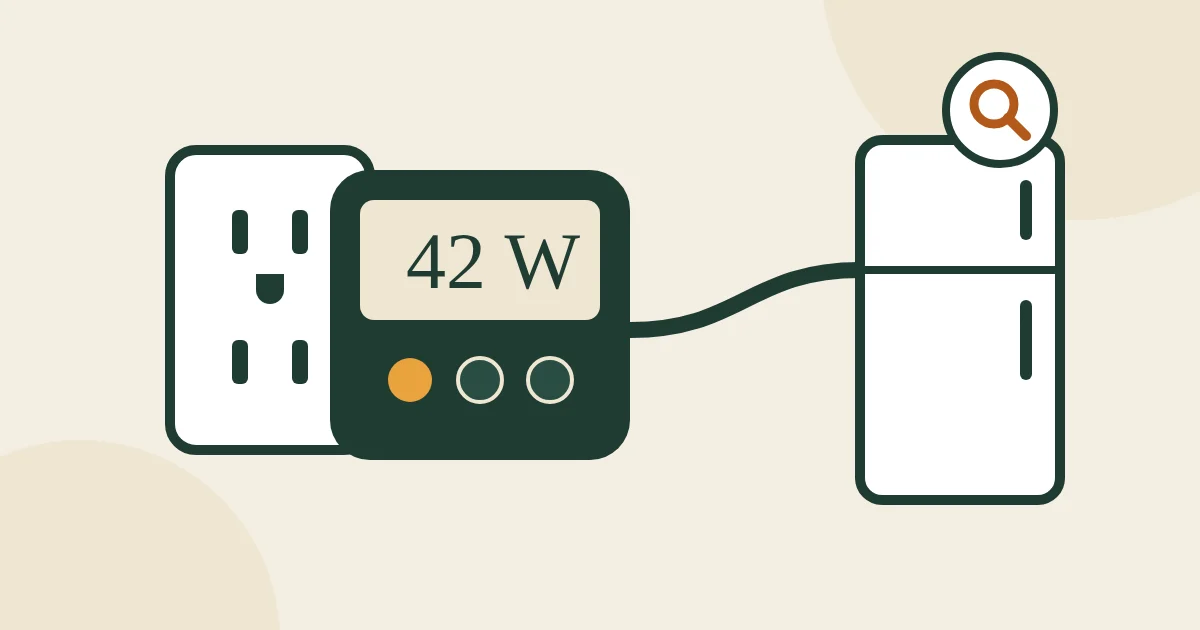
Your electric bill tells you how much you used. It does not tell you what used it. An electricity usage monitor does: plug an appliance in through it and you see the watts it draws right now, the kilowatt-hours it uses over a day and, on most models, what that costs. It is the fastest way to find the old garage freezer, the always-on entertainment center or the dehumidifier that is quietly running up the bill.
For most homes, start with a simple plug-in meter like the P3 Kill A Watt P4400 and test appliances one at a time. Want to watch one device from your phone for weeks and switch it off on a schedule? Get an energy-monitoring smart plug such as the Tapo P115. To see the whole house, including central air, the water heater and the oven, you need a whole-home monitor like the Emporia Vue 3, installed in the panel by an electrician.
Affiliate note: As an Amazon Associate, The Low Bill Home earns from qualifying purchases. Buying through our links costs you nothing extra. We have not tested every product hands-on: picks are based on the makers' published specs, official energy-saving guidance and long-term buyer feedback, and we say where a product falls short.
The classic plug-in meter: watts, kWh, volts, amps and power factor, accurate to within 0.2% per the maker.
Check price on AmazonWhy we picked it ↓A backlit display that is easy to read behind the fridge, 7 display modes and built-in cost tracking.
Check price on AmazonWhy we picked it ↓Tracks usage over days and weeks on your phone and can switch the device off on a schedule.
Check price on AmazonWhy we picked it ↓Shopping on Black Friday? Add it to your Amazon cart now so it is ready when the deals start (Black Friday is November 27, Cyber Monday November 30, 2026).
Which type do you need
| Plug-in meter | Smart plug with energy monitoring | Whole-home monitor | |
|---|---|---|---|
| Measures | One plug-in appliance | One plug-in appliance | The whole house, circuit by circuit |
| You read it | On the meter’s screen | In a phone app, with history | In a phone app, in real time |
| Install | Plug in | Plug in, connect to 2.4 GHz Wi-Fi | In the electrical panel; electrician |
| Best for | Quick checks, moving from device to device | Watching one device for weeks, schedules | Big 240 V loads, solar, the full picture |
| Cannot do | Hardwired or 240 V appliances | Hardwired or 240 V appliances | Single plug-in devices on a shared circuit |
Comparison table
Specifications as listed by the makers in October 2026.
| Pick | Type | Shows | Limits |
|---|---|---|---|
| Kill A Watt P4400 | Plug-in meter | Watts, kWh, volts, amps, Hz, VA, power factor; cost by day to year | 15 A, 1,875 VA, 125 V AC max |
| Kill A Watt EZ P4460 | Plug-in meter | Cost and forecasts by week, month and year; keeps data if unplugged | Standard 120 V outlets |
| MECHEER Watt Meter | Plug-in meter, backlit | Watts, kWh, volts, amps, Hz, power factor, cost, min and max watts | Standard 120 V outlets |
| Tapo P115 | Wi-Fi smart plug | Usage history and charts, cost estimates, schedules, remote on/off | 15 A, 1,800 W max; 2.4 GHz Wi-Fi only |
| Emporia Vue 3 | Whole-home monitor | Whole-house and per-circuit use in real time, solar and net metering | Panel install; electrician recommended |
How we chose
- Three jobs, three types. We picked the best plug-in meters for quick checks, a smart plug for long-term tracking and one whole-home monitor.
- Published accuracy and limits. We favored makers that publish accuracy and maximum load, and we list those limits.
- Readability. Meters usually live behind the fridge or under a desk, so a clear or backlit display matters.
- Track record. All five have been sold for years with a large volume of buyer feedback. We read the complaints too: dim screens, settings lost after unplugging, Wi-Fi trouble.
We have not tested these products in our own home. Picks are based on the makers’ published specifications, safety certifications and patterns in long-term buyer feedback, especially the complaints.
The picks
P3 Kill A Watt P4400 Electricity Usage Monitor
The meter most people mean when they say “Kill A Watt”, and still the best all-rounder. Plug it into the wall, plug the appliance into it, and step through the readings: volts, amps, watts, line frequency, volt-amps, power factor and cumulative kilowatt-hours. It also works out what the appliance costs by the day, week, month or year once you enter your rate. P3’s specification sheet gives its accuracy as 0.2% and its limits as 15 amps, 1,875 volt-amps and 125 volts AC.
- Shows: volts, amps, watts, Hz, VA, power factor, kWh
- Cost by day, week, month or year
- Accuracy 0.2% (maker spec)
- Max 15 A / 1,875 VA / 125 V AC
Good: simple, accurate, no app or account, moves easily from device to device.
Watch out: the screen is not backlit, which makes readings behind furniture awkward; cost settings take a few button presses.
Skip it if: you want to check usage from your phone, or you need to read it in the dark.
P3 Kill A Watt EZ P4460
The EZ is the version for people who mostly want the answer in dollars. Enter your rate once and it shows the cost and forecasts by week, month and year without arithmetic. It keeps the accumulated readings if it is unplugged, which is useful when you move it between outlets during a test. The maker lists accuracy within 0.2% and eight units of measure on the display.
- Cost and forecasts by week, month and year
- Eight units on a large LCD
- Built-in backup of accumulated readings
- Accuracy within 0.2% (maker spec)
Good: the most direct cost readout, keeps data when unplugged.
Watch out: no backlight; more than you need if you only want watts.
Skip it if: you are happy to do the cost math yourself: the P4400 does the same job.
MECHEER Watt Meter Power Meter Plug
A good-value meter with the one feature the Kill A Watt lacks: a backlit screen. The 2.36 by 1.85-inch display has adjustable backlight timing, so you can actually read it behind the fridge or under a desk. Seven display modes cover power, energy, voltage, current, frequency, power factor and cost, plus the minimum and maximum watts and the cumulative time, which helps when an appliance cycles on and off.
- Shows: W, kWh, V, A, Hz, power factor, cost
- Minimum and maximum watts, cumulative days and time
- Backlit 2.36″ x 1.85″ display, adjustable backlight
- Overload protection
Good: readable anywhere, tracks min and max power, strong value.
Watch out: less established brand than P3; the maker does not publish accuracy the way P3 does.
Skip it if: you want a published accuracy spec: buy the Kill A Watt.
Tapo P115 Smart Plug with Energy Monitoring (2-pack)
A smart plug that also measures. It logs usage over days, weeks and months with charts in the Tapo app, estimates cost from your rate, and can switch the device on and off on a schedule, so you can measure the entertainment center for a week and then make it turn off every night. It works with Alexa, Google Home and SmartThings, is ETL certified, and shuts off automatically if a device draws too much. It needs 2.4 GHz Wi-Fi.
Already on Matter or Apple Home? Our sister site’s smart plug guide covers Matter models with energy monitoring.
- Energy statistics and charts in the Tapo app
- Schedules, timers, remote on/off
- 15 A, 1,800 W max; ETL certified
- Works with Alexa, Google Home, SmartThings; 2.4 GHz Wi-Fi only
Good: long-term tracking, schedules turn the finding into a saving, two plugs per pack.
Watch out: needs an app and an account; does not work on 5 GHz-only Wi-Fi; not for space heaters.
Skip it if: you only want a quick one-off reading.
Emporia Vue 3 Home Energy Monitor
Plug-in meters cannot see your biggest loads: central air, a heat pump, an electric water heater, the dryer and the oven are hardwired or on 240-volt circuits. A whole-home monitor sits in the electrical panel with clamp-on sensors around the main lines (and optionally around individual circuits) and shows the whole house in real time in an app. The Vue 3 is UL listed, supports common U.S. single-phase and split-phase panels, handles solar and net metering, and comes with a one-year warranty.
Installation means opening the electrical panel. Unless you are qualified, have a licensed electrician do it.
- Installs in the panel with clamp-on sensors
- Real-time whole-house use; optional per-circuit sensors
- Solar and net metering
- UL listed; 1-year warranty
Good: sees everything, including 240 V appliances; great for solar homes and time-of-use rates.
Watch out: costs more than plug-in meters, plus installation; needs Wi-Fi.
Skip it if: you rent, or you only want to check a few plug-in devices.
The weekend home energy audit
A meter only saves money if you use it methodically. This plan takes one weekend with one plug-in meter.
- Get your rate. Divide the total on your last electric bill by the kWh used. Enter it into the meter.
- Start the 24-hour tests on Friday evening. Begin with the appliances that cycle on and off: the kitchen fridge, then the garage fridge or freezer.
- Test standby on Saturday. Plug the power strip for the TV area into the meter, switch everything “off” with the remotes, and read the watts. That number runs 24 hours a day.
- Test your workday on Sunday or Monday. Desktop computer, monitors, printer, and anything else at the desk, for one normal day.
- Write every result down in a table like the one below, then rank the devices by cost per year.
| Device | How long to measure | Why |
|---|---|---|
| Kitchen fridge | 24 hours | The compressor cycles; a single reading misleads |
| Second fridge or freezer in the garage | 24 hours | Often older, and garages run hot or cold |
| Dehumidifier | 24 hours at your usual setting | It can run for many hours a day in damp months |
| TV, console, soundbar, streaming box (on one strip) | 1 hour with everything “off” | Standby runs around the clock |
| Desktop PC and monitors | One typical workday | Sleep settings make a big difference |
| Heated blanket or mattress pad | One night | See how much the controller cycles |
| Space heater | Do not meter it | Plug heaters straight into the wall; use the label (usually 1,500 W high) |
Turn readings into dollars
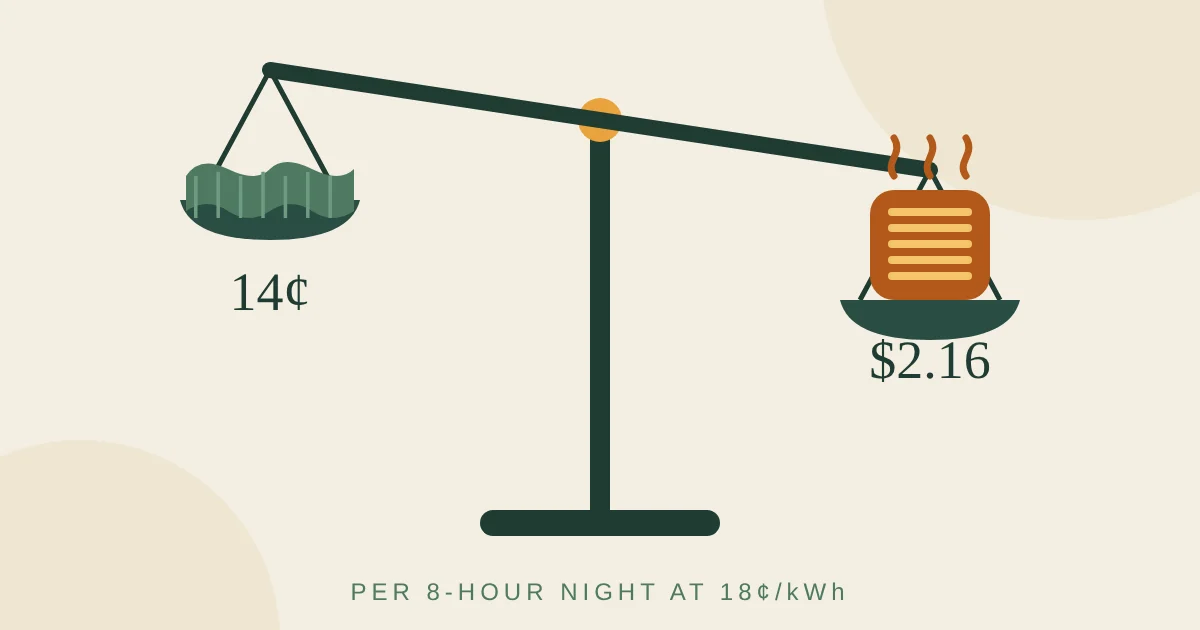
For a 24-hour test: kWh in 24 hours × 30 = kWh per month; × your rate = cost per month. Example: a garage freezer that uses 1.8 kWh in 24 hours uses 54 kWh a month, which is $9.72 a month, about $117 a year at 18¢ per kWh.
For standby watts: watts × 24 × 365 ÷ 1,000 = kWh per year. Example: an entertainment center that draws 18 watts while “off” uses about 158 kWh a year, or about $28 a year at 18¢. Our energy cost calculator does both for you.
For context, an NRDC study found that always-on idle power averaged nearly 23% of household electricity use in the homes it studied. Our guide to phantom power lists the usual offenders.
What to do with the results
- Old second fridge or freezer near the top of the list? Empty it into the main fridge and unplug it, or replace it. It is often the single biggest always-on load in a house.
- High standby at the TV? Turn off quick-start and console instant-on modes first, then put the whole group on a smart plug that switches off at night.
- Dehumidifier running all day? Raise the humidity setting a few points and seal the dampness at its source.
- Computer never sleeps? Set the sleep timer to 15–30 minutes and turn monitors off with it.
- Heating costs dominate in winter. No gadget is as big as heating. See 20 ways to lower your heating bill and heated blanket vs space heater.
Safety and limits
- Respect the maximum load printed on the meter or plug (for example 15 amps). Do not plug a power strip full of high-wattage devices into it.
- Not for space heaters. Heater makers and fire safety groups say to plug heaters directly into a wall outlet. Use the label wattage instead.
- 120-volt outlets only. Plug-in meters and smart plugs cannot measure 240-volt appliances such as dryers, ovens, central air or electric water heaters.
- Panel work is for professionals. A whole-home monitor goes inside the electrical panel; hire a licensed electrician unless you are qualified.
FAQ
Are electricity usage monitors accurate?
Good ones are accurate enough for home use. P3 International specifies its Kill A Watt meters as accurate to within 0.2%. Budget meters vary more, but any of them will show you which appliances use the most power, which is what matters for cutting your bill.
Can a Kill A Watt measure a refrigerator?
Yes, and a fridge is one of the best things to measure. Leave it plugged through the meter for a full 24 hours, because the compressor cycles on and off, then read the kWh. Multiply by about 30 for a monthly figure.
Can I use an electricity usage monitor on a space heater?
We recommend against it. Space heaters draw close to the limit of a standard outlet, and heater makers and fire safety groups say to plug them directly into the wall. Use the wattage on the label instead: most draw 1,500 watts on high and about 750 watts on low.
Is an energy-monitoring smart plug better than a Kill A Watt?
It depends on what you want. A smart plug records usage over days and weeks in an app and can switch a device off on a schedule, but it needs Wi-Fi and an app. A plug-in meter is cheaper, simpler and easier to move from appliance to appliance for quick checks.
Is a whole-home energy monitor worth it?
It is worth it if you want to see the big 240-volt loads that plug-in meters cannot measure, such as central air, an electric water heater, a dryer or an oven, or if you have solar panels. It is installed in your electrical panel, so plan for a licensed electrician.
Can a usage monitor measure 240-volt appliances?
Plug-in meters and smart plugs cannot: they are made for standard 120-volt U.S. outlets. To measure 240-volt appliances you need a whole-home monitor installed in the panel.
Keep going
- Phantom power: which devices waste electricity when they’re “off”
- Energy cost calculator
- Heated blanket vs space heater: which is cheaper to run
- Our sister site’s guide to the best smart plugs
Sources
Affiliate Disclosure: The Low Bill Home is a participant in the Amazon Services LLC Associates Program. As an Amazon Associate we earn from qualifying purchases, at no extra cost to you. Product details and availability change, so check the listing before you buy.